


Logo Maker - AI Art Design
4.4346.00 Reviews
App Specs
- Version
- 1.4.3
- Updated On
- License
- Free
- Downloads
- 1,000,000+
- Developer
- Smart AI DEV
- Categories
- Art & Design
- Platform
- Android
Screenshots
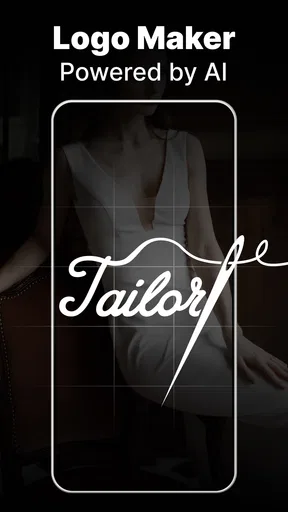
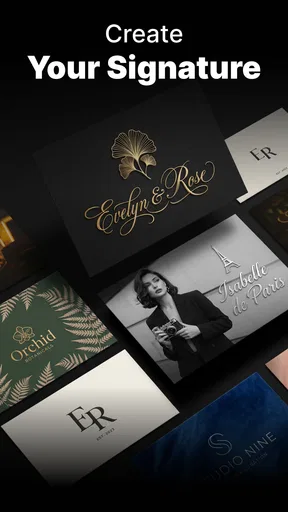
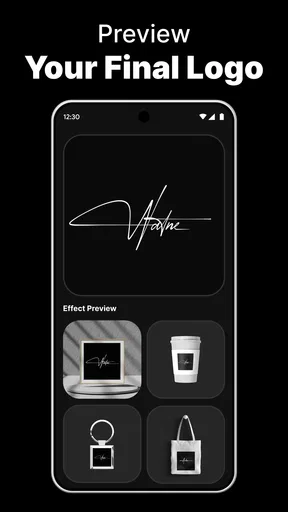
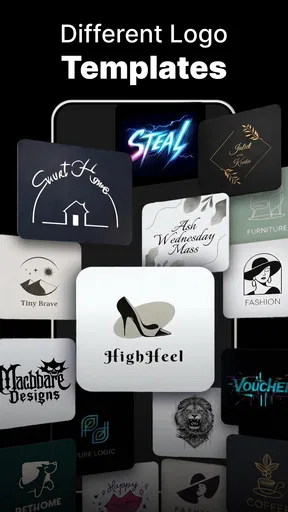
 Analysis by AppCompare
Ever wanted to create a logo but didn’t know where to start? I’ve been there, staring at a blank screen with no idea how to turn my concept into reality. That’s when I stumbled upon Logo Maker - AI Art Design. Let me tell you, this app is a game changer for anyone looking to design logos effortlessly.
A quick household design task
I can see this app being useful on a shared household device when someone needs a simple visual in a hurry: a teenager preparing a club poster, a parent sketching an idea for a small side project, or a family member making a label for a homemade product. The appeal is that you can start with a concept rather than a blank canvas. I’d still treat the result as a draft to review together, not as a finished identity that everyone should adopt without discussion.
For example, if I were helping a relative make a logo for a weekend bake sale, I’d agree on the name and the feeling first—warm, playful, or neat—then try a few related keywords and compare the suggestions. That small bit of planning matters: it gives the design process direction and makes it easier to spot an option that fits, rather than choosing the first attractive image just because it appeared quickly.
Keeping shared use manageable
On a shared phone or tablet, I’d set a simple boundary before handing the app over: use it for the current project, keep the wording appropriate, and ask before replacing or changing someone else’s work. Those are household habits, not special controls I’m attributing to the app. They help avoid the usual shared-device confusion, especially when more than one person is trying ideas for different projects.
I’d also decide who is responsible for the final version and where it should be kept. A useful workflow is to make one person the editor, let others offer feedback, and save or export only after everyone has checked the spelling and colors. That prevents a quick experiment from being mistaken for the agreed design. If several people need separate workspaces or formal approval steps, a dedicated team design platform is likely a better fit.
First Impressions
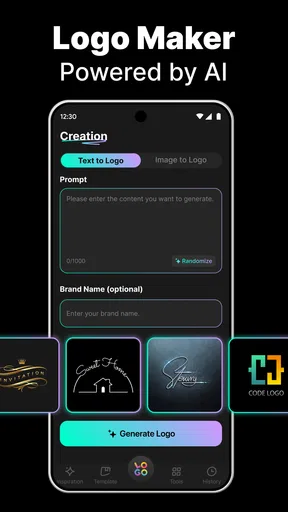
Right off the bat, the interface is sleek and user-friendly. You don’t need to be a design wizard to navigate through it. The app welcomes you with a simple dashboard, making it easy to dive into the creative process. The app offers a wide range of templates and design tools that cater to both beginners and seasoned designers.
Features Galore
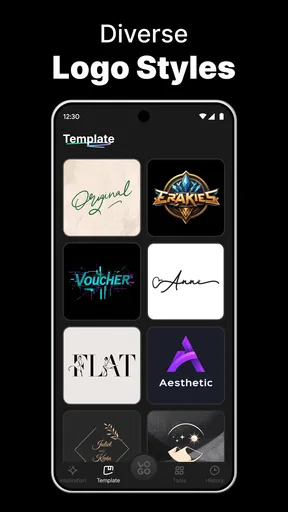
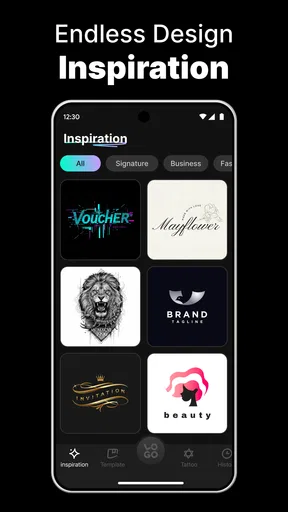
Let’s talk features. The app provides an impressive library of templates. Whether you’re looking to create something modern or classic, you’ll find a template that suits your vision. The AI-driven design suggestions are pretty spot-on, offering tweaks and variations you might not have considered. It’s like having a design assistant right in your pocket.
Worth Reading Before You Choose

EA SPORTS FC Mobile 26 Is a Bigger Football Game, but It Takes Time

Flipboard Shows What News Apps Must Do Beyond the Feed

Switching to Android Auto Means Rethinking Your Driving Routine

Google Calendar Makes a Crowded Week Easier to Manage

Ludo King Makes the Most of the Minutes Between Plans

Baby Panda World Brings Quick Play to Modern Phones, but Its Game Library Feels Busy
One feature I absolutely love is the customization options. From fonts to colors, you can adjust every little detail. The drag-and-drop functionality makes it super easy to play around with different elements. It’s flexible, allowing you to experiment until you get that "aha" moment.
Making the AI suggestions work for you
The most useful way to approach AI suggestions is to give them a focused brief. Instead of entering a broad term such as “shop,” I’d try a short description that combines the kind of business with the mood or subject I want represented. Then I’d compare several options and refine the one that feels closest. This is a practical advantage over starting with a blank page in a general drawing app, but the generated direction still needs your judgement; a suggestion can look polished without being distinctive or suitable for the intended audience.
One trade-off is that customization can tempt you to keep adjusting details long after the central idea is clear. I’d settle the name, basic symbol, and main color first, then make smaller changes only if they improve readability. For a tiny social profile image, a crowded design can lose its impact when reduced. A simple version is often more useful than a complicated one, even if the latter looks impressive on the phone screen.
AI-Powered Magic
The AI aspect of this app is where the real magic happens. You can input keywords related to your business or brand, and the AI generates design options that align with your theme. It’s fascinating how quickly it understands your needs and provides relevant suggestions. The AI doesn’t just give you generic designs; it tailors them to reflect your brand’s personality.
Ease of Use
Setting aside my design apprehensions, I found using this app quite intuitive. The learning curve is minimal. For someone who usually struggles with design software, this was a refreshing change. Each tool is clearly labeled, and there’s a helpful tutorial to guide you through the more complex features.
Where it fits among design options
Compared with a general-purpose drawing app, this is the more approachable route when the task is specifically a logo and you want a starting point quickly. A drawing app may offer greater freedom for someone comfortable building every shape by hand, while this app’s templates and AI suggestions are better suited to turning a rough idea into a presentable draft. A professional desktop design program is the stronger choice when precise vector editing, detailed brand systems, or production-ready files are central to the job.
I’d recommend it most to beginners, casual creators, and small project owners who need a logo concept without spending hours learning design tools. It can also help a household settle on a visual for a one-off event or informal project. I’d skip it if the logo will anchor a larger company’s identity, needs to be legally distinctive, or must meet exact printing and file specifications. In those cases, treat an app-generated design as inspiration and get a designer or more advanced software involved before committing.
Age, trust, and spending
The app is rated for Everyone, which makes it broadly suitable for household use, but I’d still guide younger users through the choices and review any design before it is shared publicly. A child may focus on a fun symbol while overlooking whether the name is spelled correctly or whether the design makes sense outside the screen. The app is made by Smart AI DEV, and its current version is 1.2.4; it first became available on May 20, 2025.
It is free to install, and the app has an average rating of 4.2 from around 31,000 ratings, with more than 1 million installs. Some in-app purchases range from $6.99 to $59.99 per item, so I’d check the purchase details before approving anything on a shared device. The free starting point can be useful for trying the workflow, but don’t assume every option or export is included without cost. That distinction is worth discussing in advance if several people use the same device.
Sharing and Exporting
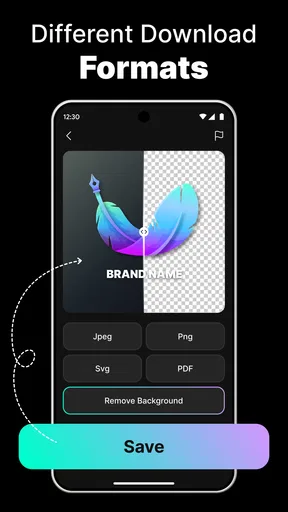
Once you’ve crafted your masterpiece, the app makes it easy to share. You can export your logo in various formats, ensuring it looks great whether it’s on a business card or a billboard. The high-resolution export options are a nice touch, giving your logo a professional finish.
Before using an export for anything important, I’d check how it looks at the actual size and against the background where it will appear. A design that reads well on a bright phone display may be hard to see on a dark poster or a small profile icon. I’d also keep a clean copy of the chosen version separate from experimental edits. That simple habit makes it easier to return to the approved design if someone continues exploring alternatives.
Room for Improvement
While the app is impressive, there are a few areas that could use a little polish. Occasionally, the app can be a bit slow, especially when rendering complex designs. Adding more advanced editing tools could also enhance the experience for professional designers seeking more control.
Those limits matter most when the project has strict requirements. Someone who needs exact spacing, careful control over every curve, or a coordinated set of brand materials may find the available editing approach restrictive. I’d use this app to explore directions and make a straightforward mark, but I wouldn’t rely on it alone for a detailed identity system. Also, if a render takes time, simplifying the design before trying again may be more practical than adding further elements.
Final Thoughts
Overall, this is a useful tool for anyone looking to create logos without the hassle. Its AI capabilities, combined with a library of templates and customization options, make it a practical starting point for budding entrepreneurs and small business owners. If you’re on the lookout for an app that simplifies the design process while delivering high-quality results, this one’s worth a download.
For a shared household, my verdict is to use it as a cooperative sketchpad: agree on the brief, let one person manage the edits, and review the final design before sharing or spending money. It is a sensible choice for quick ideas and modest needs, rather than a replacement for professional design work. So, if you’re ready to bring your brand to life with a logo, give Logo Maker - AI Art Design a try. You might just find, like I did, that creating a logo can be both easy and fun.
Pros
- User-friendly interface for easy design.
- Extensive library of templates available.
- AI-generated suggestions enhance creativity.
- High-quality export options for various formats.
- No design experience needed to start.
Cons
- Limited free features; premium required.
- Occasional in-app ads can be distracting.
- Some templates feel repetitive.
- AI suggestions can be hit or miss.
- Exporting can take longer on older devices.
FAQs for Logo Maker - AI Art Design
What features does Logo Maker - AI Art Design offer?
Logo Maker - AI Art Design provides a comprehensive suite of design tools, including AI-driven art creation, customizable templates, and a vast library of icons and fonts. Users can easily create professional logos tailored to their brand's identity, with options to adjust colors, typography, and layout.
Is Logo Maker - AI Art Design suitable for beginners?
Absolutely! Logo Maker - AI Art Design is designed with an intuitive interface that caters to users of all skill levels. Beginners can take advantage of the pre-designed templates and AI suggestions, while more experienced designers can explore advanced customization options to create unique logos.
Does the app offer export options for different file formats?
Yes, Logo Maker - AI Art Design allows users to export their creations in multiple file formats, such as PNG, JPEG, and SVG. This flexibility ensures that your logos are ready for use across various platforms, whether for digital media or print purposes.
Are there any in-app purchases or subscription models?
Logo Maker - AI Art Design includes both free and premium features. While the app can be used for free, access to a wider range of templates, fonts, and advanced tools may require a subscription. Users can choose from various pricing plans to suit their budget and design needs.
Can I use my created logos for commercial purposes?
Yes, logos designed with Logo Maker - AI Art Design can be used for commercial purposes. However, it's important to review the app's terms of service to ensure compliance with their usage policies, especially when using specific templates or elements included within the app.


